Craft CMS is a flexible, developer-focused platform that typically requires a more involved setup than tools like WordPress. It relies on a local development environment, command-line workflows, and a working understanding of front-end code.
This project was built using AI as a core part of the process—not as a helper on the side, but as the primary way to move from idea to execution. AI was used to guide setup, define structure, generate code, and support decision-making throughout.
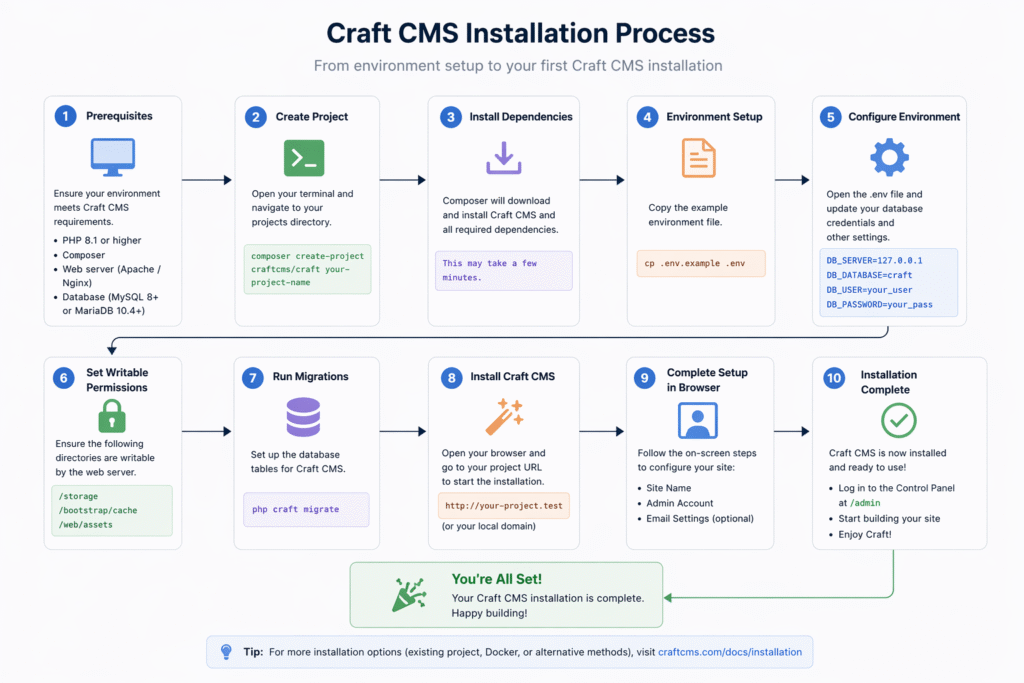
Step 1: Install and Run Craft Locally
Setting up Craft locally usually involves multiple technical steps: configuring a development environment, installing dependencies, and working through command-line setup.
AI was used to generate and guide each step of this process, including troubleshooting issues along the way. Instead of relying on documentation alone, the setup became an interactive process driven by AI-generated instructions and iteration.
Step 2: Define the Concept
The concept was intentionally simple: a visual archive of old photographs from art school.
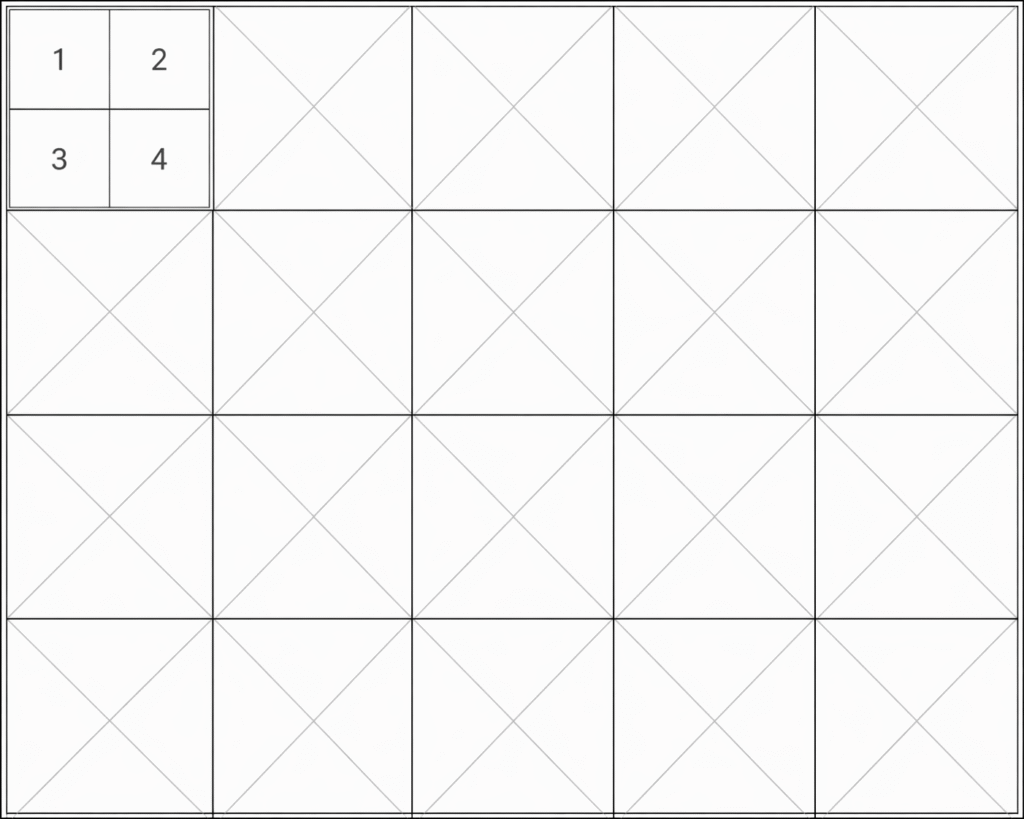
AI was used to refine and validate this direction, helping narrow the scope to something focused and achievable. The final concept—a responsive image grid with no captions or additional context—was shaped through this process.
The simplicity of the idea made it easy to translate directly into both design and CMS structure.
Step 3: Set Up the Structure
With the concept defined, the next step was building it in Craft.
AI was used to:
- Define content structure (sections, fields)
- Generate template code
- Suggest layout and CSS for a responsive grid
- Troubleshoot implementation issues
The site framework was largely generated through AI and then refined through iteration. This significantly reduced the time typically required to get a functional setup in place.
Step 4: Populate and Refine
This phase focused on content—sourcing, preparing, and organizing images.
AI played a smaller but still active role, supporting quick decisions and minor optimizations. The majority of the effort was manual: finding images, cropping them, and ensuring consistency.
Once prepared, uploading and organizing content in Craft was straightforward due to the structure already established with AI.

Summary
This project demonstrates a workflow where AI is central to both technical execution and decision-making.
AI was used to:
- Set up the development environment
- Define and refine the concept
- Generate and structure code
- Support troubleshooting and iteration
By relying on AI throughout, the process moved quickly from idea to working site, without requiring a traditional, fully designed handoff. The result is a simple, functional site and a practical example of how AI can be integrated into a real-world design and development workflow.
Conclusion
There’s a lot of talk about AI replacing designers in my field—that it can take over most aspects of the design process. In my view, that’s a narrow perspective that doesn’t reflect my experience. It often echoes the narrative of companies looking to safeguard or reposition their products by layering in AI features (as we’ve seen with tools like Figma).
I don’t see AI as a replacement for design thinking, but as a multiplier. If anything, I lean toward a more expansive view: AI is capable of supporting nearly every function of a full product team. What still matters is having someone with a sense of design, structured thinking, and hands-on experience across the product lifecycle—someone who can ask the right questions, frame the problem clearly, and guide AI systems with precise, thoughtful prompts to produce meaningful outcomes.
More to come …